
Groups: Member
Joined: 5/13/2009
Posts: 301
Location: Georgia, USA
Rank:
 (3548) (3548)
|
For those looking for an alternative to Windows Media Center for My Movies, I'm happy to announce that Chameleon MediaCenter v5.0 is now available, and for the first time ever CMC is completely free to use.
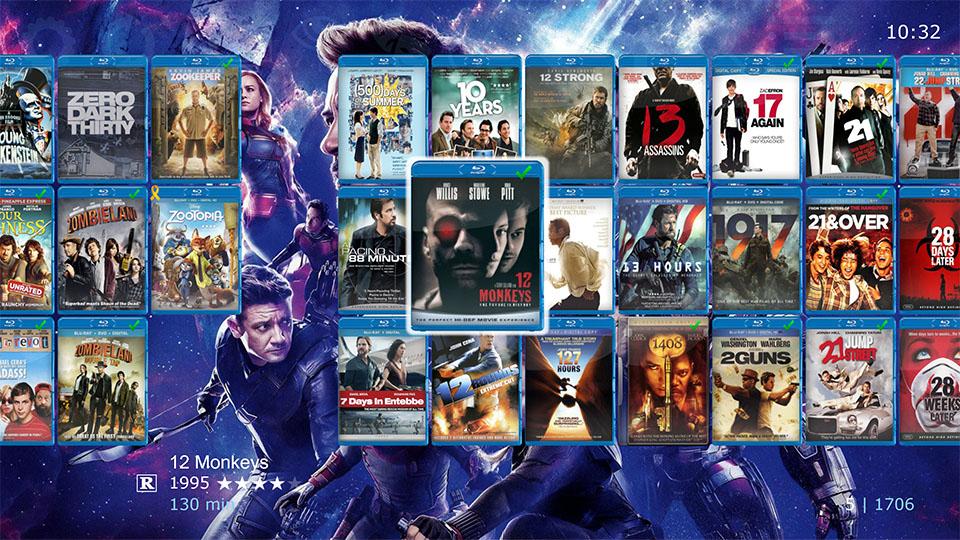
I started writing CMC over 5 years ago as a personal workaround to WMC support being dropped. CMC is a replacement for WMC that integrates with your existing My Movies collection. You still use My Movies to manage your collection, while CMC provides a new front-end for browsing your collection and playing media.
In the beginning, CMC worked well enough for me to browse my collection and playback movies, so I decided to share it with the community. Over the past 5 years, CMC has grown by leaps and bounds, adding features requested by users, adding tons of new functionality, improving performance, and fixing bugs. So far, I've contributed well over 5,000 hours of programming time, plus spent thousands of more hours supporting CMC users. While I used to charge a per PC license fee to use CMC, I've decided to make CMC free for everyone, and instead accept voluntary donations to support continued development.
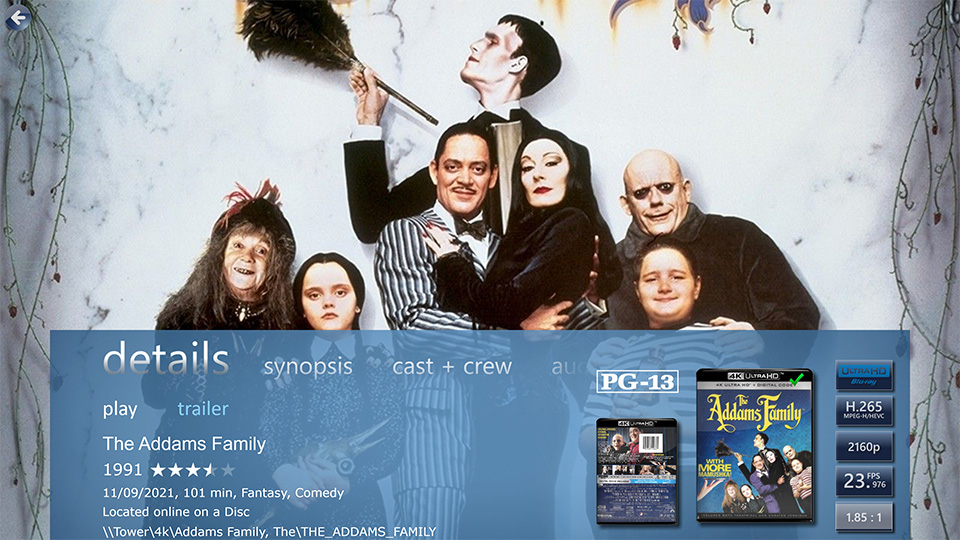
I wanted a solution that worked with all versions of Windows so that I didn't have to try and maintain an old Windows 7 WMC install anymore. CMC works with all versions of Windows from Win7 through Win11. CMC is also a lot easier to install and maintain than WMC.
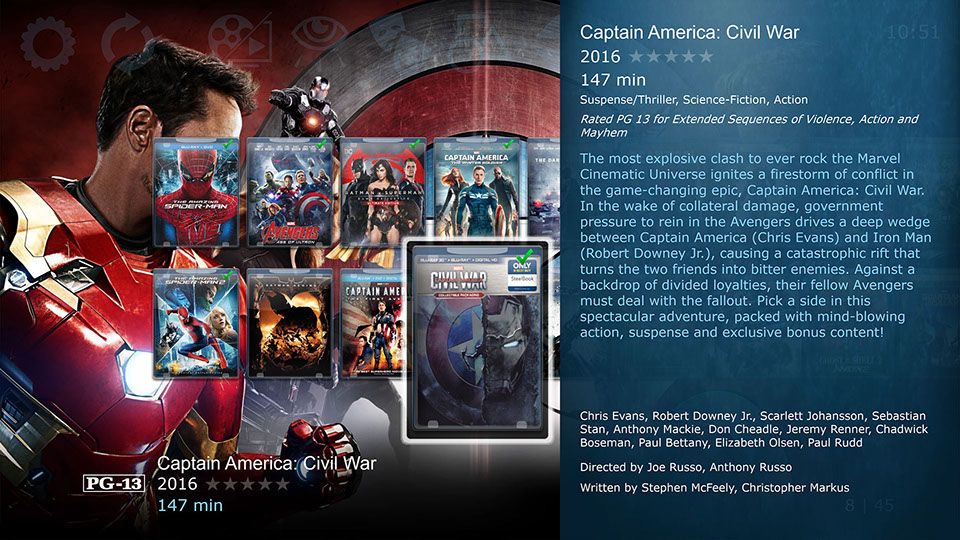
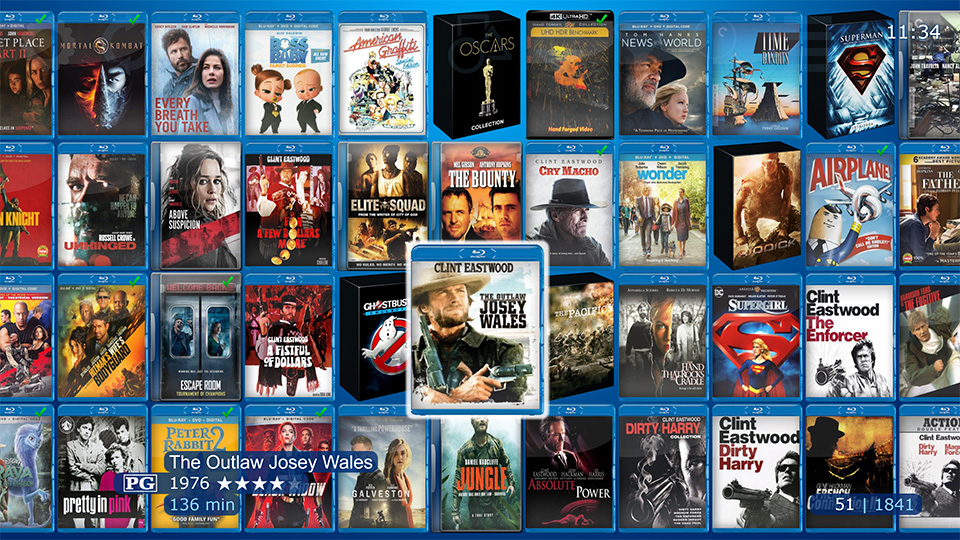
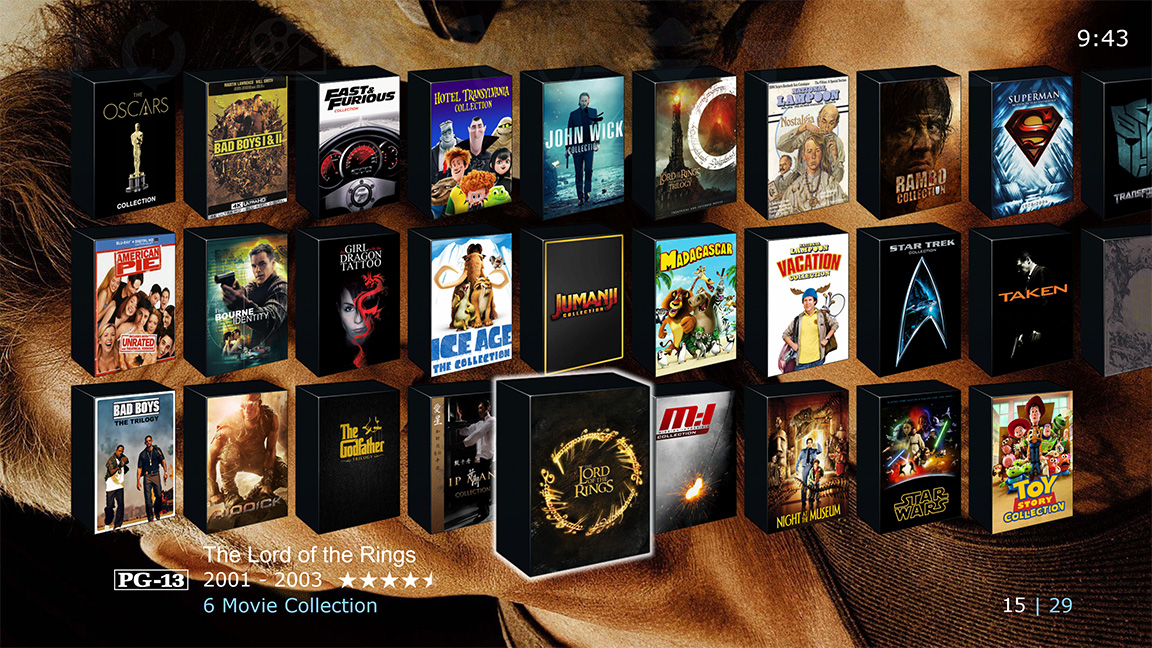
Because I was a huge fan of WMC with the My Movies plugin, I emulated that visual style. Even after all these years, the WMC layout holds up as a pleasing media browser. Additionally, CMC offers the ability to customize the look and feel, including support for My Movies DVD Cover Profiles and even re-skinning much of the CMC GUI.
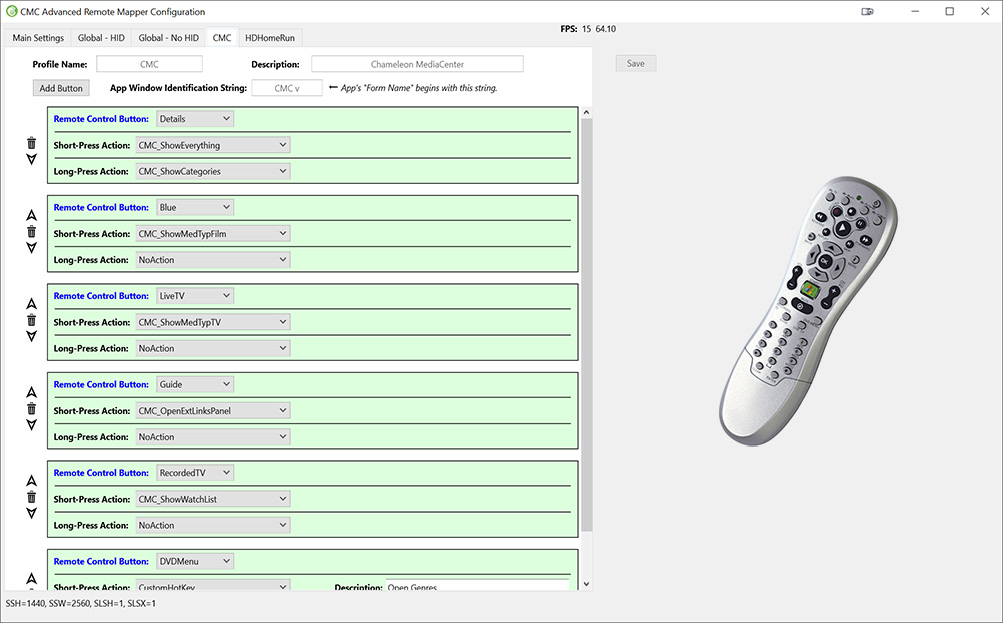
I also designed CMC to work well with WMC style remote controls, so you don't have to pull out a keyboard. CMC v5 adds a new WMC remote control solution similar to what Girder or Event Ghost provides, so you can redefine all button actions per app, and it works even when CMC is not running. Recent versions also include many built-in hotkeys that you can program into your remote to make navigating CMC and launching apps quicker and easier. Over time I've also been adding mouse/touch support, and with CMC v5 touch support is nearly complete and is now very usable.
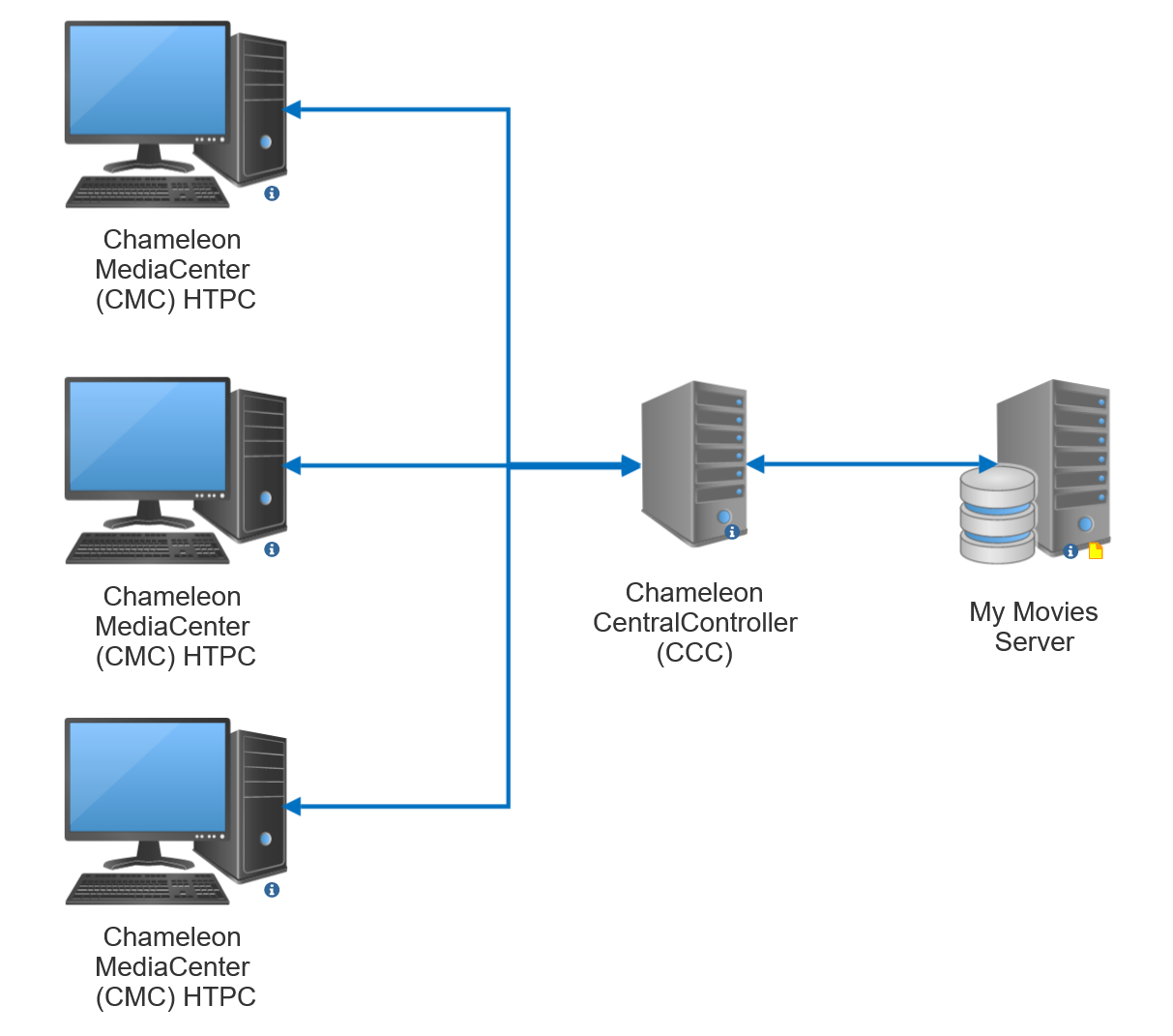
CMC works as a HTPC hub, syncing your collection data from My Movies for display, and for those with online collections it allows you to initiate playback using your choice of popular media players. CMC includes a special app called Chameleon CentralController (CCC) that centrally manages synchronizing your My Movies collection to share it with all of your CMC PC's. CCC exports MORE DATA from the My Movies API than any other solution, and as far as I am aware, it is the ONLY media hub that exports the new Movie Collections from My Movies. CMC also syncs title watched status back into My Movies. Note that using CCC to sync data from the My Movies API does require you to have at least 2500 My Movies Points to enable API access.
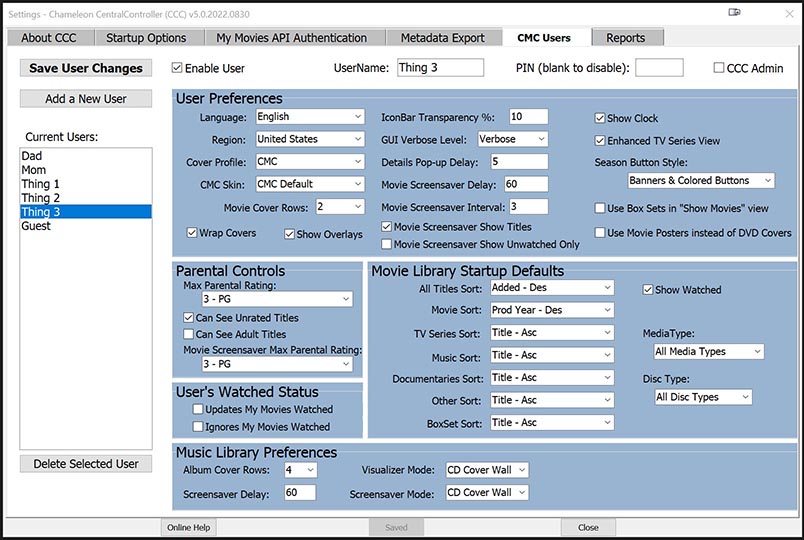
But CCC is more than just a data exporter/importer, as it also allows you to manage user accounts for each of your family members, friends and guests. Movies and TV Episode watched status is tracked individually per user, you can set individual parental restrictions, and even customize how CMC looks per user. CCC automatically syncs user account data to all of your CMC PC's.
Beyond simply creating accounts for your kids with parental restrictions, CCC maintains a log of what titles were watched, so now you can see a report a what your kids are watching in your collection.
One of the major benefits to using CCC is that you only need My Movies installed on a single PC. I personally have My Movies and CCC running in a Win10 Virtual Machine on my media server, and on my 4 HTPC's spread around the house I only have CMC installed. CMC talks to CCC, and CCC talks to My Movies. It's so much easier to only have to maintain a single My Movies install. Plus, CCC provides a huge performance boost to CMC, as it can transmit data to CMC about 1000x faster than accessing the My Movies API directly.
Unlike other solutions where you have to configure scripts to get playback working with different players, I've done all the hard work for you, and out of the box CMC works with the following players:
CyberLink PowerDVD, all versions from v13 - v22
DVDFab Player 5 & 6 and the renamed PlayerFab 7
Media Player Classic - Home Cinema (MPC-HC)
Media Player Classic - Black Edition (MPC-BE)
JRiver Media Center
Daum PotPlayer
VLC Media Player
Windows 10 Movies & TV
ArcSoft TotalMedia Theatre (TMT) <- Preliminary Beta Support
You can even choose which player your want for each media type, DVD, Blu-ray, 4K, and also for TV episodes vs. movies. CMC supports playback of media in all the popular formats, including ISO rips, DVD/Blu-ray Folders, and encoded media like MP4, MKV and a dozen more.
New in CMC v5, you can now use the official My Movies 4 iOS/Android apps to start playback of your movies on any CMC PC!
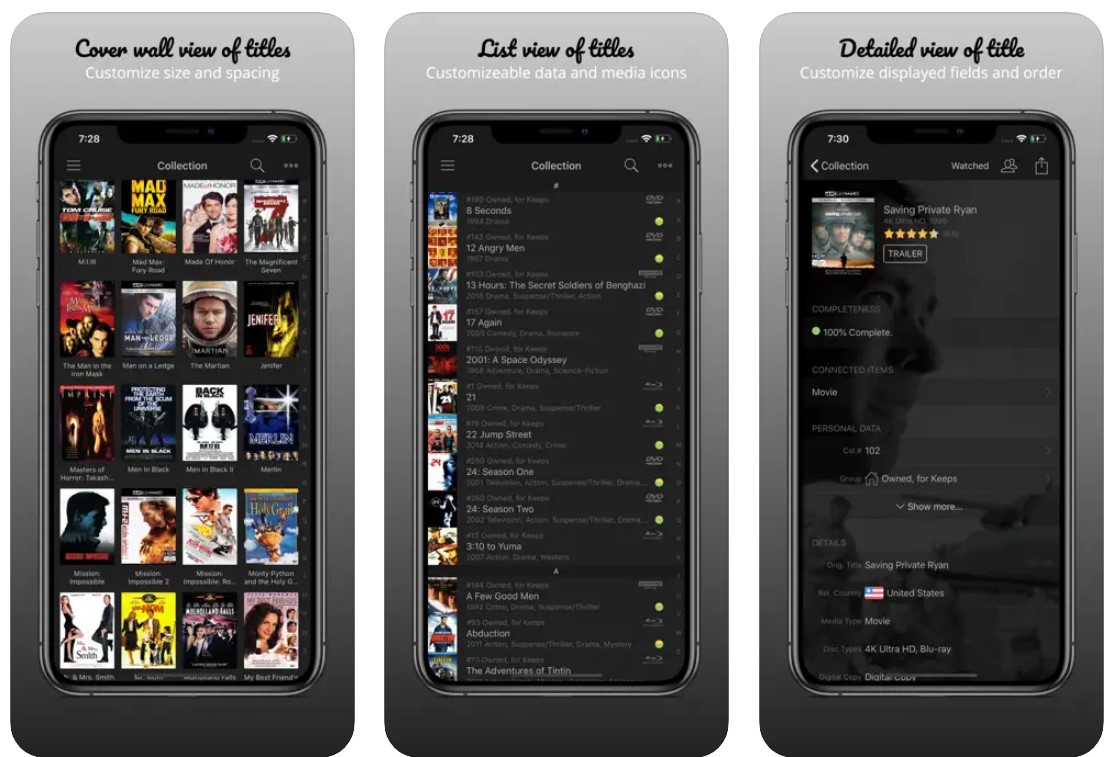
In addition to playing your personal collection, CMC has a built-in app/web launcher. You can easily launch apps like Steam for playing games, HDHomeRun for watching TV, the NetFlix app for watching Stranger Things, open HBO Max in a browser to catch up on the new GOT House of the Dragon, and open the Ring Doorbell app to see who's at your door. The launcher is fully customizable - in addition to choosing from dozens of built-in launchers, you can create custom launchers to run any program or open any website.

Like WMC, CMC includes a built-in Music Library so you can listen to your collection of MP3's again. Unlike WMC, CMC uses a very high-end audio engine that provides support for the latest audio formats and even surround sound DVD Audio. While the CMC Music Library emulates the style of WMC, it includes some welcome enhancements, like a Genre Mapper that allows you to easily tame your out-of-control MP3 genre tags without having to edit a single MP3, and new in v5 is a separate Spoken Word category for users who want to organize their lectures separate from their music.

And of course, CMC even emulates the infamous CD cover waterfall screensaver so many of us loved from WMC.

While all the other capabilities are icing on the cake, CMC's primary goal is extremely tight integration with My Movies, to be the very best My Movies front-end in the world. CMC gives you capabilities that WMC never had or that have stopped working in WMC. For example, CMC can play movie trailers, a feature that stopped working in WMC a few years back.
And since CMC was originally designed as a front-end for My Movies, CMC let's you enjoy your collection like no other front-end can even dream of doing. CMC allows you to quickly view your collection grouped by Media Type (Movies, Music, TV, Documentaries, Collections).
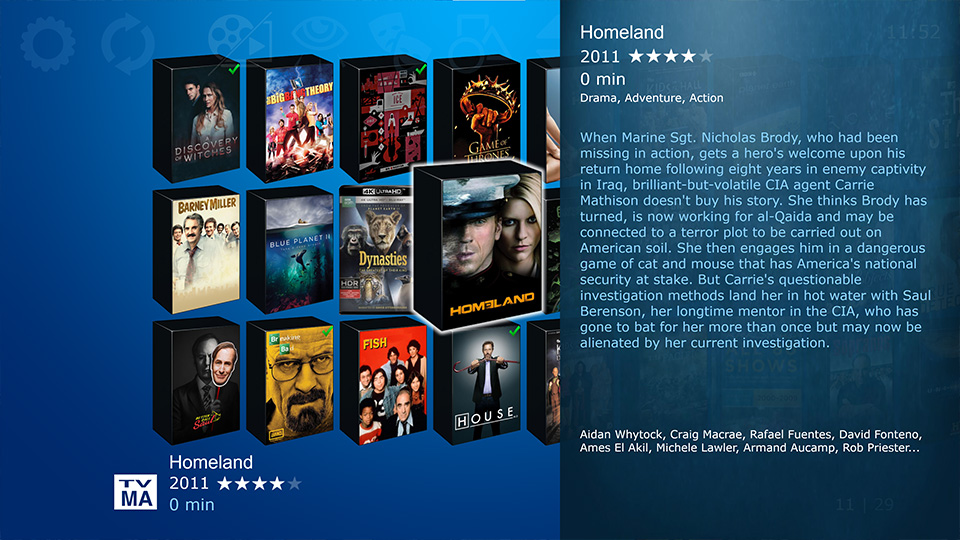
You can easily filter by Watched Status, Genres and custom Categories.
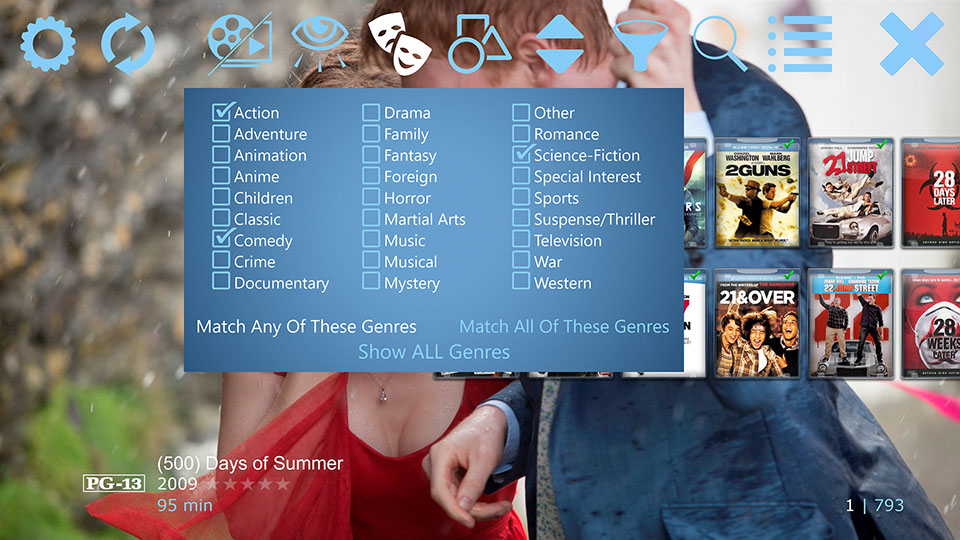
Plus there are Advanced Filters like disc type, audio formats and parental ratings, and even a real-time search by title, actors, directors, writers, or synopsis. If you use MPC as your TV Episode player, then CMC can automatically play one episode after another for that NetFlix binge-watching experience.

Sometimes finding the next movie to watch can be daunting, especially for larger collections. To help, CMC includes a 'Similar Movies' feature that uses AI to find similar movies in your collection, and even I am surprised just how accurate the recommendations can be.
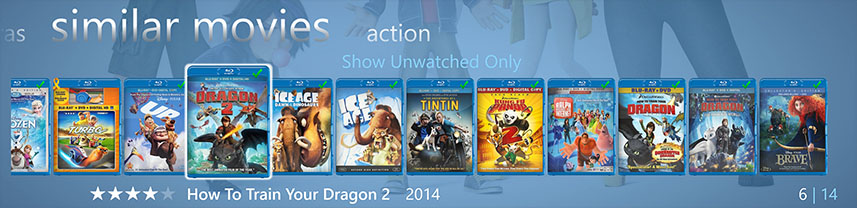
Plus, you can easily add titles to your own personal Watchlist with the press of a button, so you can easily manage a personal queue of movies you want to watch next.
This post is too long as it is, and yet there is a lot more functionality that I didn't even mention here. To learn more, visit the The Chameleon MediaCenter Website.
CMC keeps getting better with every version. And now that CMC v5.0 is completely free, you really have no excuse anymore not to try it out.-Paul
Chameleon MediaCenter (CMC) v7.0 - A FREE WMC replacement GUI for My Movies Collection Management on Win7/8.1/10/11, plus a Music Library and App Launcher!
|