


Complete Profile Editing and Contribution
Over time, My Movies versions have added more and more options for adding and contributing data to the My Movies online service, primarily through the "Add Missing Data" function.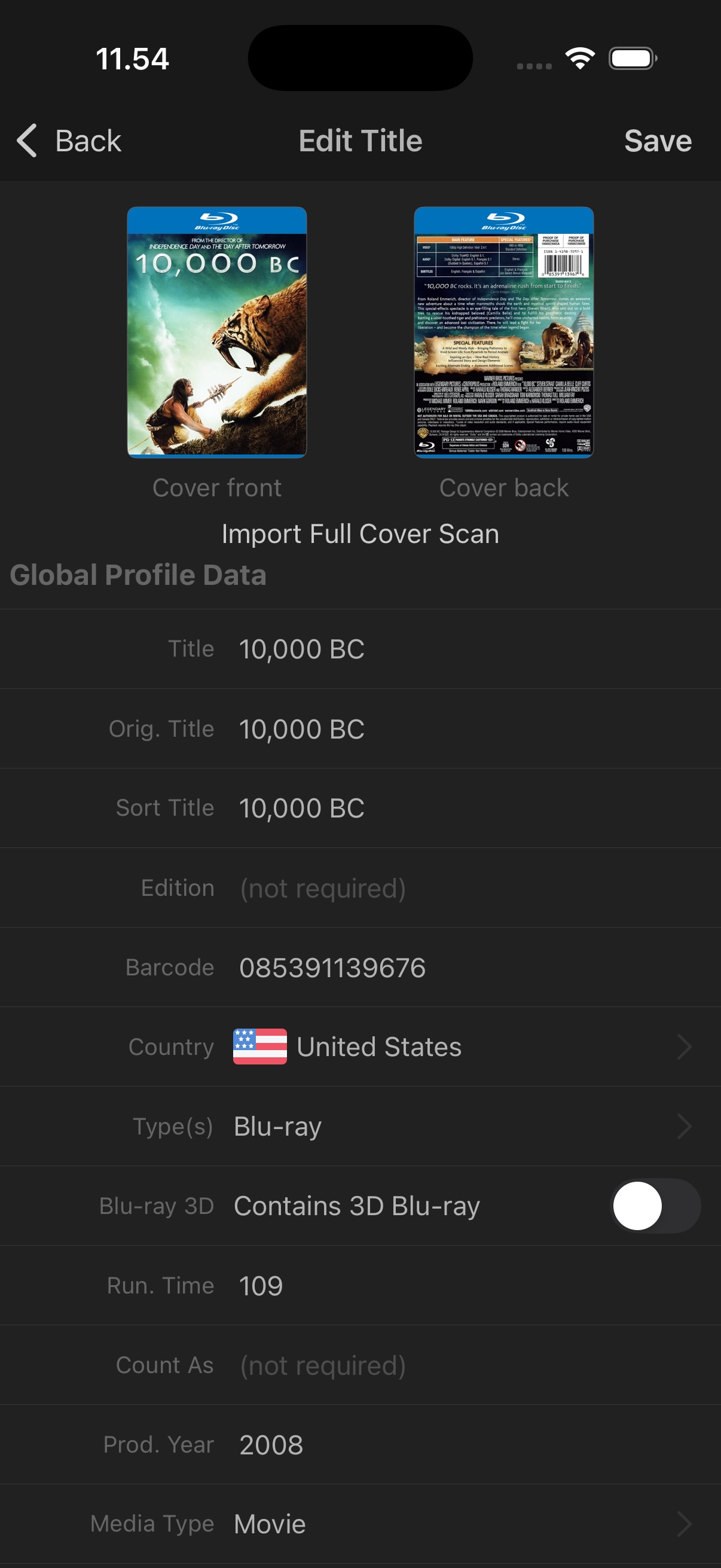 With My Movies 6, we are taking the next big step by completely re-writing the "Create" options for disc titles, movies, TV series, and movie collections—allowing you to create full profiles directly in the mobile app with all available data fields. The created personal profiles can be contributed to the service to become globally available, as an alternative to reporting missing titles.
You can also now use the "Edit" option from the upper-right corner menu on any global profile to improve and contribute data directly to the service.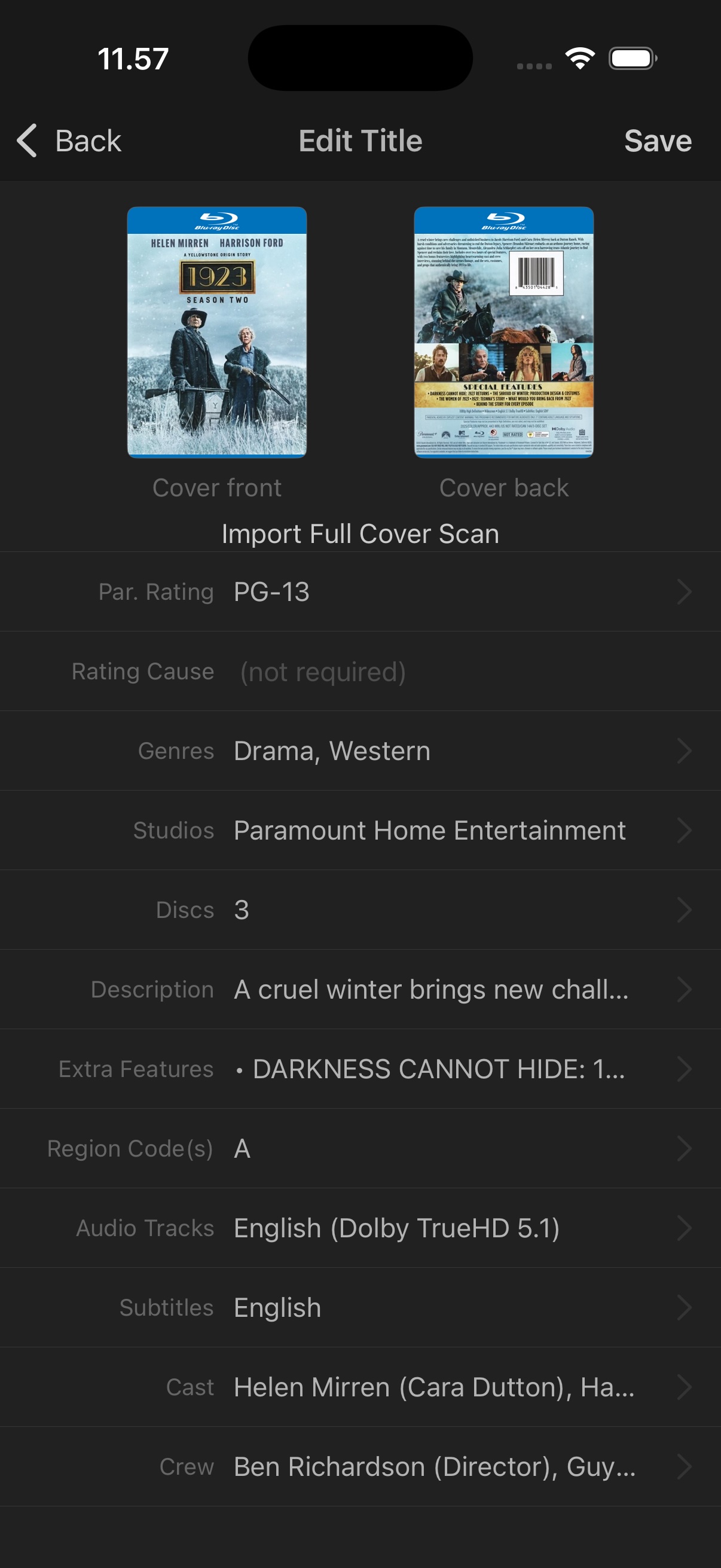 The "Add Missing Data" functionality remains available when you only need to add a small piece of information to a profile.
With this addition, the mobile app is now a fully complete data editor and creator—except for disc IDs, which still require a physical drive to read.
Data and Cover Personalization
To give you complete flexibility, we are introducing a new "Personalization" option for all profiles, including disc titles, movies, TV series, and movie collections.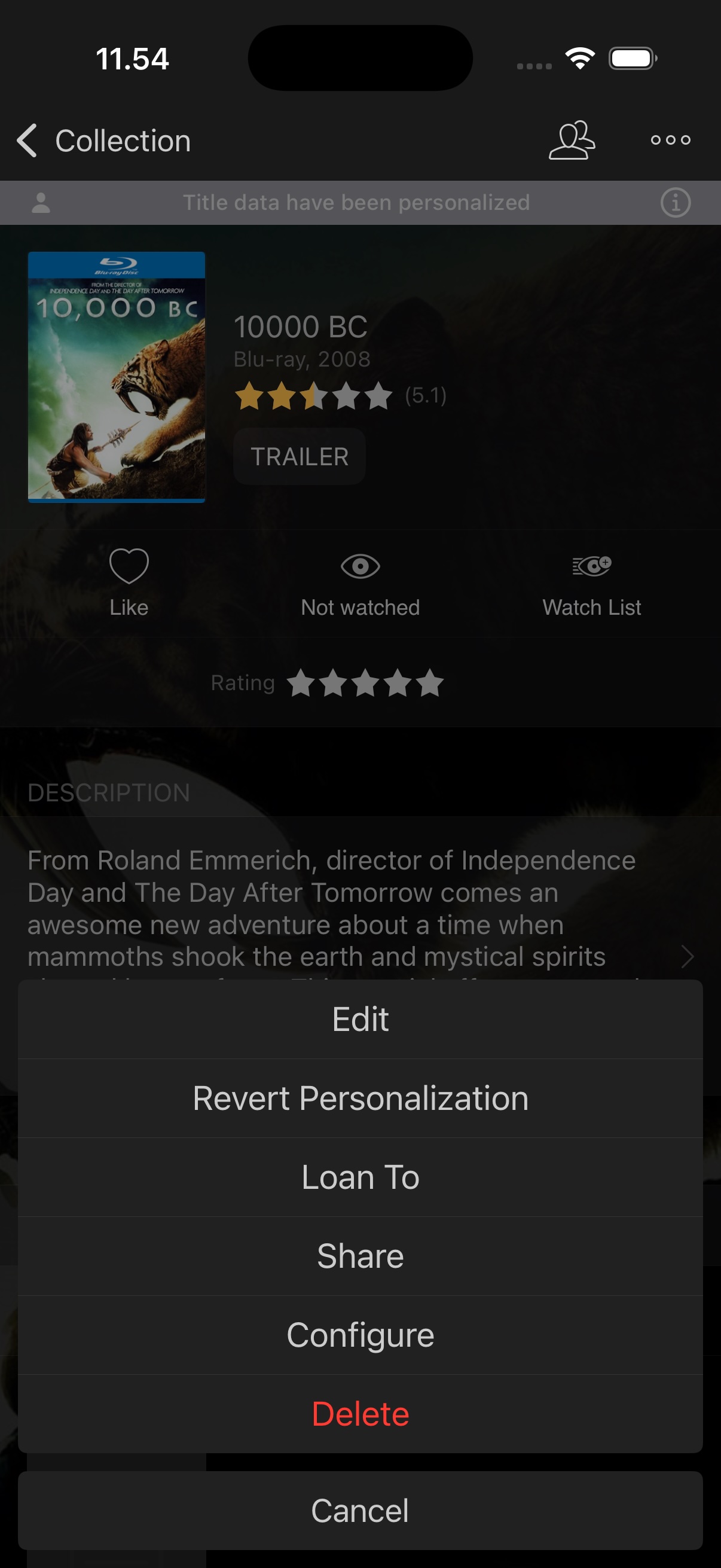 Through the "Edit" option in the upper-right corner menu for any title in your collection, you can make your own changes to the global data on profiles—adjusting anything based on personal preferences where the global profile may not match your desired information.
When saving, you can choose to contribute your changes globally or to "Personalize" the profile.
Once a profile is personalized, it will no longer receive updates from the online service and will remain personalized until you choose to revert it.
Note! Data and cover personalization is a feature we’ve considered carefully. My Movies is a community-based system—our data quality and coverage rely on user contributions. We encourage all users to contribute their improvements back to the service whenever they follow the guidelines.
Inventory Check
Believe it or not, more than 15 years have passed since the first release of My Movies for mobile devices. During that time, many things may have happened to users’ collections. We are now pleased to introduce the new "Inventory Check" functionality for our long-time collectors.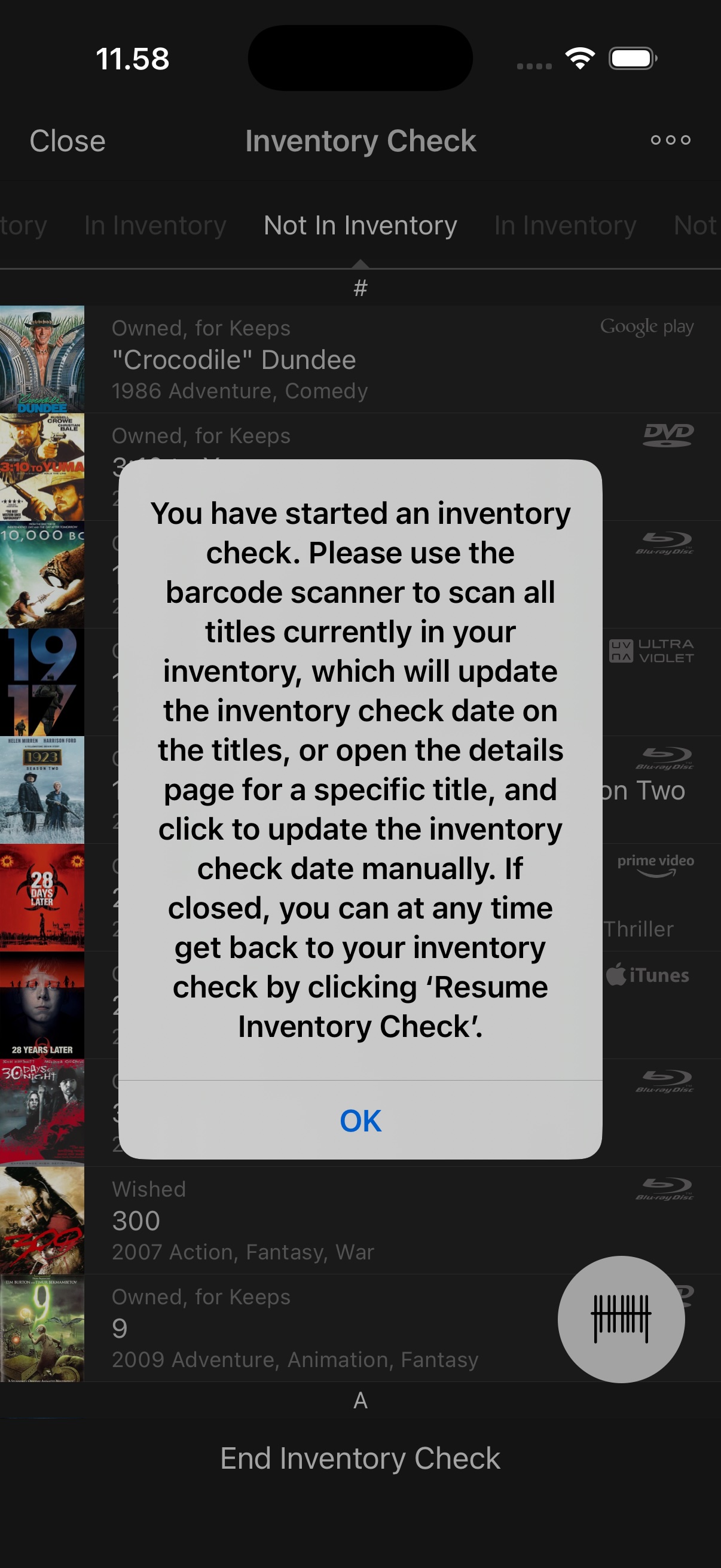 This feature helps you go through your collection and ensure that all tracked titles are still in your possession. Depending on your collection size, you may perform this check occasionally—life events may have affected your collection, some loans may never have been returned, some discs may have deteriorated, or you may have shared titles during a move or relationship change.
From the upper-right corner menu on the collection screen, you can start an inventory check. The app records the date when the check began, and any titles not confirmed afterward are marked as "Not in Inventory." From the inventory check screen, you can use the barcode scanner to update titles quickly. Scanned titles move to the "In Inventory" list. For titles you can’t scan (such as digital purchases), you can manually mark them as "In Inventory" on the details page.
After completing the process, you’ll have a list of titles marked "Not in Inventory." You can either tag them with notes or categories, or delete them if they are no longer in your collection.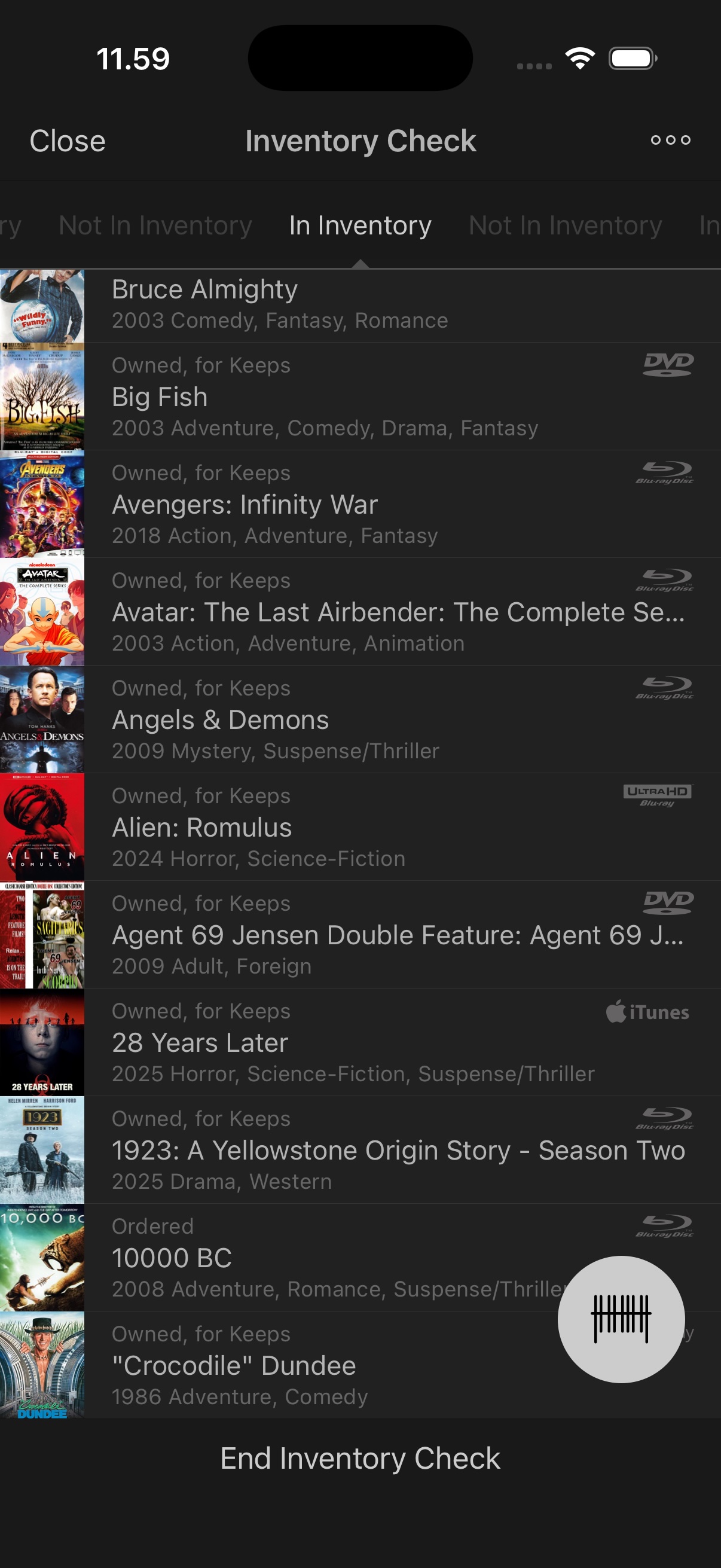 We’ve also added sorting and filtering options for "Last Inventory Check," allowing you to organize or filter titles based on when they were last confirmed. The date is automatically set when titles are added, assuming they were in your inventory at that time.
This process may take time, but with the batch scan function, it’s faster than expected—and essential for serious collectors to stay organized.
Overlay Icons
We’ve added a new option to personalize the appearance of the "Wall" view. While the "List" view has long included quick-access data, the "Wall" view remains the preferred interface for most users. Many have requested a way to see watch status and other key information directly on the covers.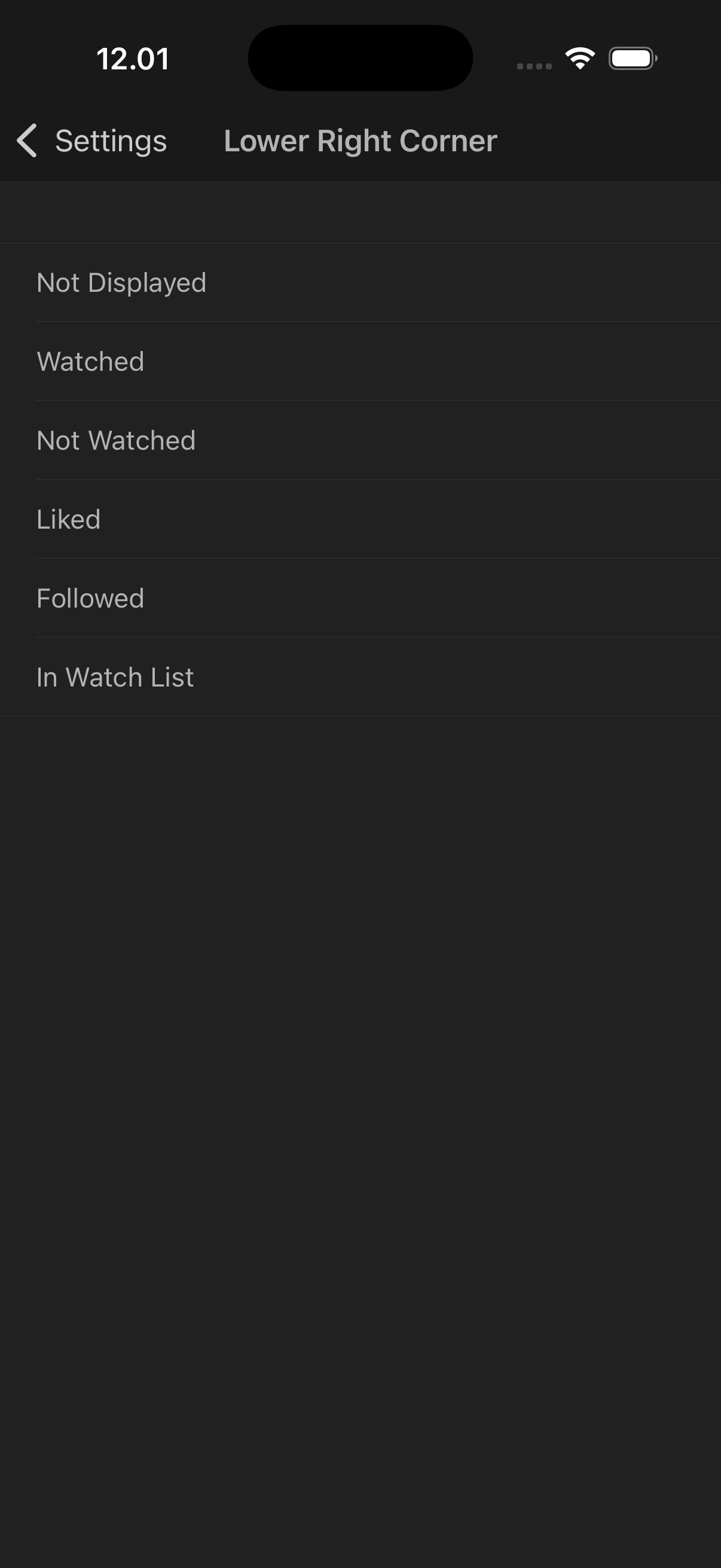 You can now enable "Overlay Icons" under "Settings" → "Interface Customization" for the upper-left, upper-right, and lower-right corners of covers in Wall View. The lower-left corner remains reserved for highlighted titles.
You can choose to display icons for "Watched," "Not Watched," "Liked," "Followed," or "In Watchlist" in any of the available corners.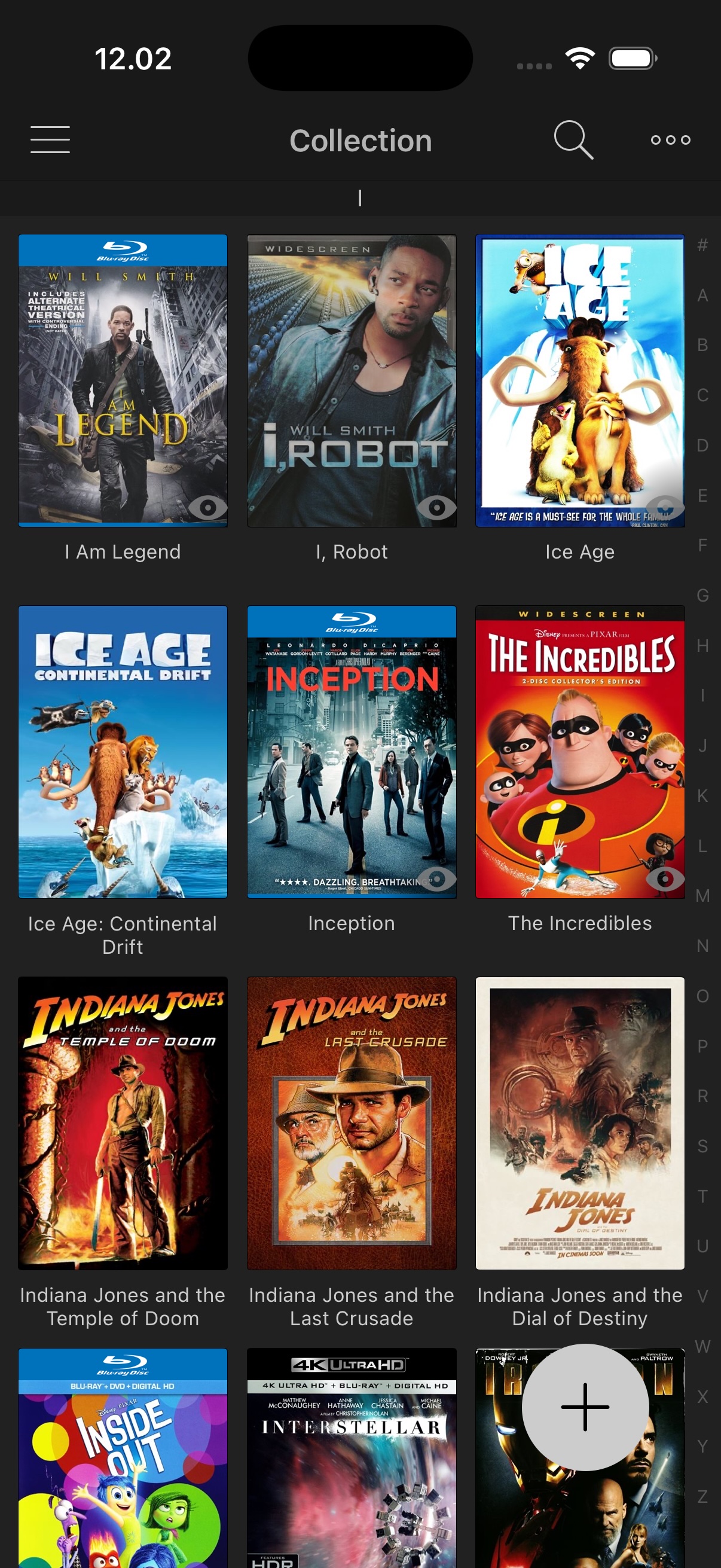 We may extend the overlay icon options in the future—if you have suggestions for new icons, please share your feedback with our team.
Updated Persons Section
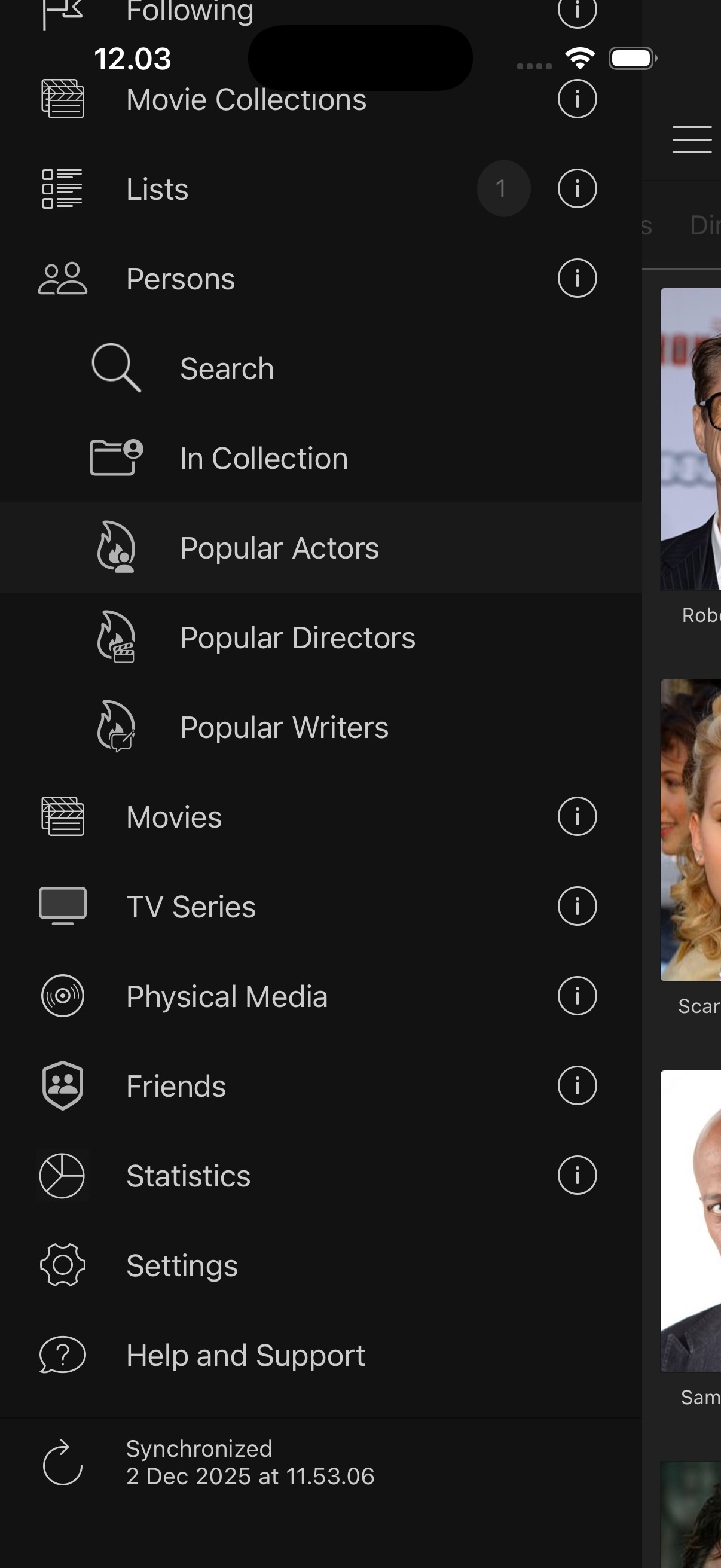 The "Persons" section has been significantly expanded and is no longer limited to people from titles in your collection.
A new "Persons" section has been added in the left-side menu, where the existing section is now available as a sub-item under "In Collection."
We’ve added an auto-complete search to quickly find your favorite actors, directors, or writers. There are also new sections for "Popular Actors," "Popular Directors," and "Popular Writers" where you can explore trending personalities.
With this feature, we hope to inspire you to discover even more movies and series featuring your favorite people.
See also the new "Follow Actors, Directors, and Writers" feature.
Follow Actors, Directors, and Writers
You can now use the "Follow" option on your favorite actors, directors, or writers to receive notifications about new releases.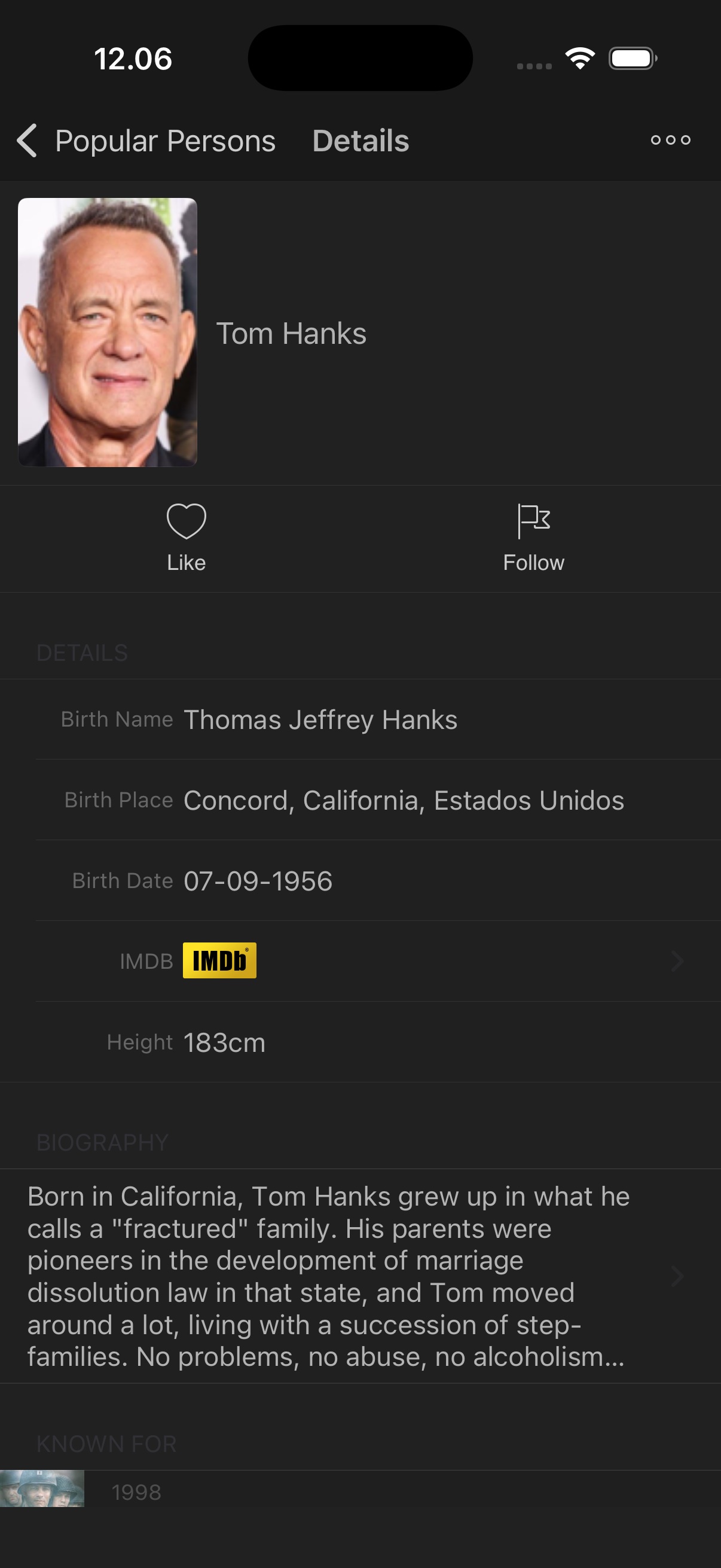 We all have our favorites—maybe you want to know when Clint Eastwood directs a new film, or you never want to miss a Leonardo DiCaprio release.
Through the notification system, you’ll receive alerts about new releases on physical media or streaming, either via email or push notifications, depending on your settings.
You’ll never miss a chance to enjoy new movies featuring your favorite people.
TV Series Watch in Progress
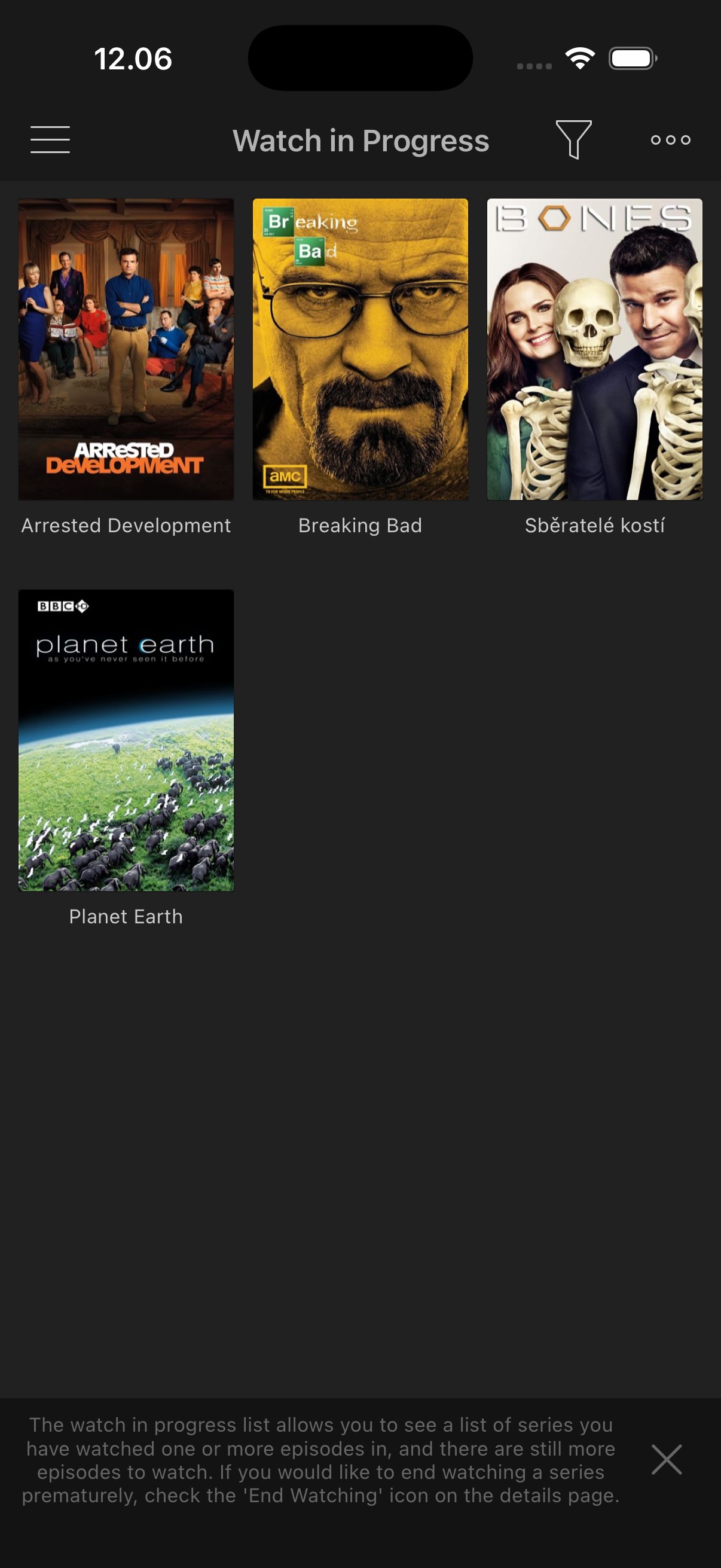 The new "Watch in Progress" section under "TV Series" in the left-side menu makes it easy to see which shows you’re currently watching.
When you mark one or more episodes as watched, the series appears in the "Watch in Progress" section—unless all episodes have been marked as watched.
If you lose interest in a series, you can tap "End Watching" on the details page to remove it from the section.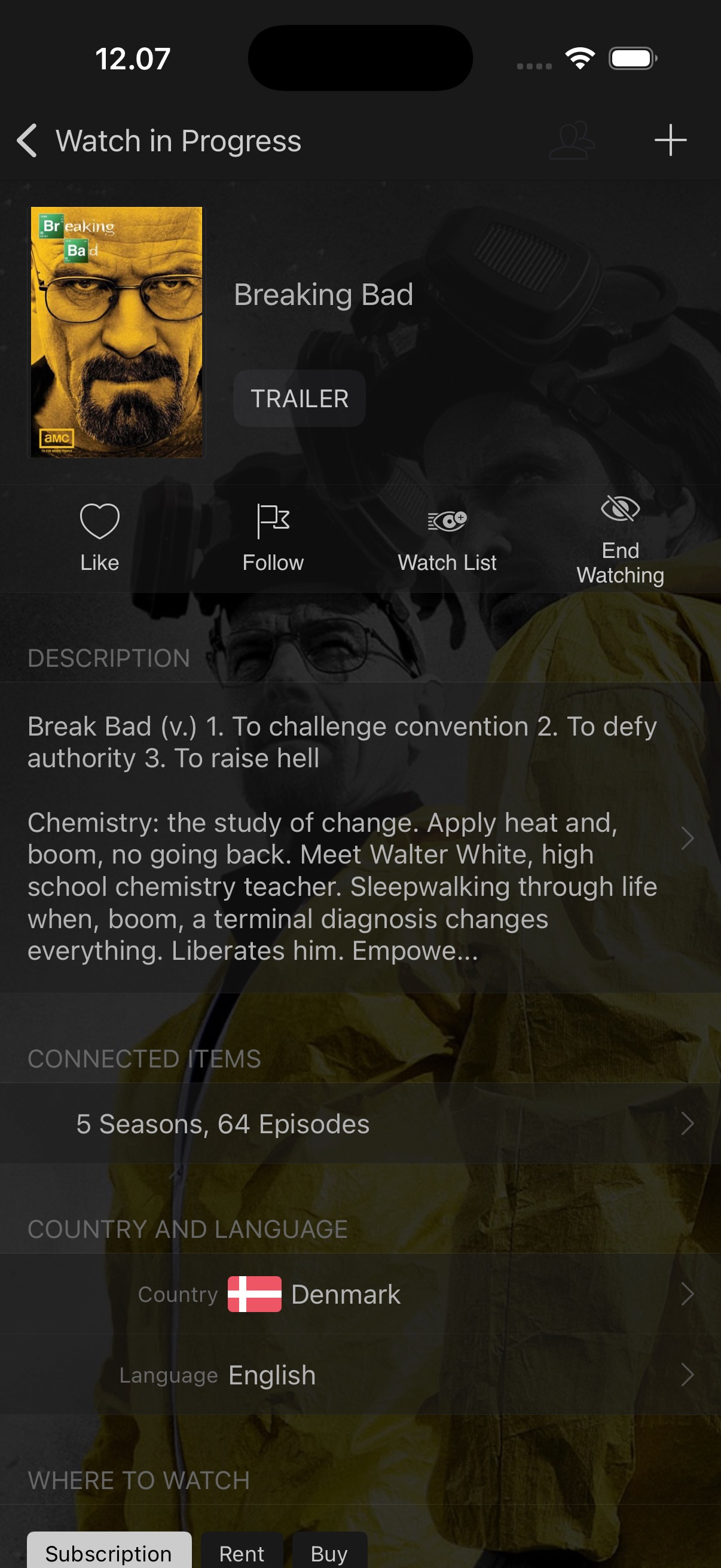 The main highlight of "Watch in Progress" is its ability to detect when new episodes become available. For example, if you’ve completed all episodes in a season, the series disappears from the section until new episodes or seasons are released—at which point it reappears automatically.
We believe this feature will give you an excellent overview of your ongoing TV series.
New & Updated Widgets
Widgets were first introduced in My Movies 5, and we’re now expanding their functionality significantly.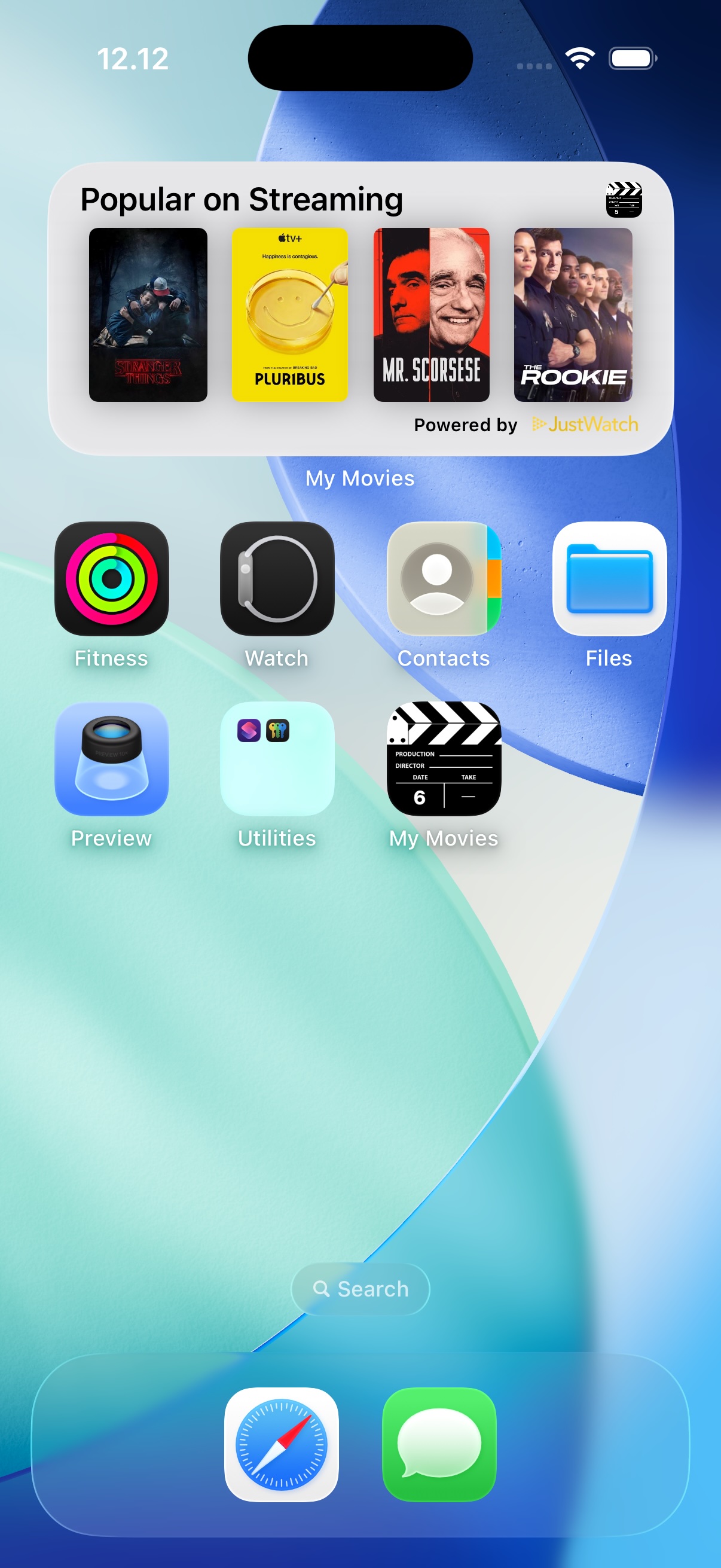 New are lists for "Popular on Streaming," powered by JustWatch, showing trending movies and TV series.
We’ve also added a new widget option for TV series, complementing the existing movie widgets.
In addition, we’ve improved widget performance by bypassing synchronization checks when using search widgets to quickly find a movie or TV series.
Paired with the new and improved auto-complete search, finding specific titles is now faster than ever.
Lists of TV Series or Disc Titles
In My Movies 5, we introduced the "Lists" feature for creating your own favorite movie lists.
With My Movies 6, we’ve extended this feature by allowing you to create lists of disc titles and TV series as well.
You can even create mixed lists containing both movies and TV series.
Users of My Movies 5 will still be able to see lists created under version 6 that contain only movies, but only My Movies 6 users can view mixed lists or lists of disc titles and TV series.
This expansion of the "Lists" feature has been a popular request—especially for sharing lists focused on specific releases or genres across physical and digital media.
Additional Minor Functionality
Besides the individually highlighted features, many other improvements are available in My Movies 6, with some examples below: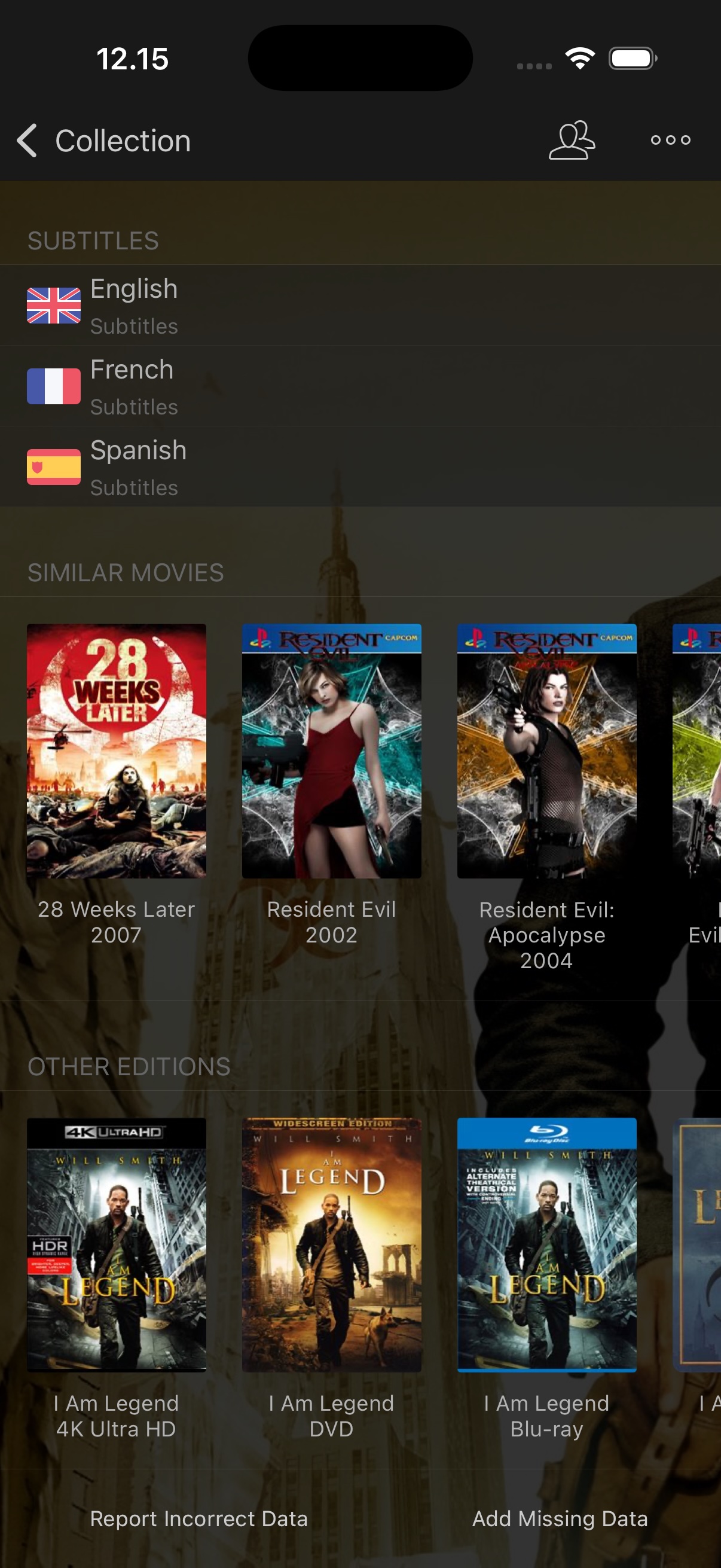 - There are now "Similar Movies" listed on the details page.
- "Other Editions" on the details page lets you see other physical media editions of the same title.
- "Other Editions in Collection" lets you see other editions within your own collection.
- Movies added to disc title profiles now appear in search results.
- The "Part Of" section on the details page now also lists local box set parent titles that child titles are part of.
Future Support and Updates
The release of My Movies 6 marks a change in our approach to releasing new major versions of My Movies every second year.
Users on all purchase models of My Movies 6 will always receive the latest version of the application. Users on auto-renewable subscriptions will have full service operation for as long as the subscription remains active, while users with the non-auto-renewable subscription option will be purchasing two years of service operation, after which the application becomes read-only.
While we still support them, previous application versions will not receive further updates. Users of prior versions can continue to use them on their current devices and OS versions, but although all services around the applications continue, we cannot guarantee that future OS updates or new devices will not affect functionality.
Whether you prefer an auto-renewable subscription or a non-auto-renewable two-year purchase, the application features remain the same.
By using the latest version, you ensure that you can continue to use the application on upcoming OS versions and new devices, while also supporting our continued development and services. Thank you for helping us ensure that our services—unlike many competitors—remain available for years to come!

